Serving Ventura County, Los Angeles County and Beyond!

CRICUT CLASSES ARE HERE

Jan 15, 2026 | Newsletters

Written By

DO YOU HAVE A CRICUT THAT IS STILL IN THE BOX OR ARE YOU GOT ONE FOR CHRISTMAS.

JUST IN TIME TO GET THEM ALL OUT OF THAT BOX AND LEARN HOW TO USE THEM.

LILLIAN IS READY TO TAKE THE REINS AND TEACH YOU HOW TO USE YOUR CRICUT.

WE’VE ADDED ANOTHER DATE FOR BEGINNER I FOR THOSE THAT CANNOT ATTEND ON JAN 25th

THAT NEW DATE IS JANUARY 28 @ 1:00 PM.

CALL TO RESERVE YOUR SPOT TODAY………

There are currently 7 sessions:
BEGINNER I JANUARY 25, 2026 10 AM – 2 PM
BEGINNER II MARCH 1, 2026 10 AM – 2 PM
INTERMEDIATE I MARCH 29, 2026 10 AM – 2 PM
INTERMEDIATE II APRIL 12, 2026 10 AM – 2 PM
INTERMEDIATE III MAY 31, 2026 10 AM – 2 PM
ADVANCED I TBD
ADVANCED II TBD

COST OF EACH SESSION IS $75.00 (NO REFUNDS)

BELOW IS THE DESCRIPTION OF THE FIRST CLASS – BEGINNER 1

FUTURE DESCRIPTIONS WILL BE SENT AS WE GET CLOSER TO THE DATE

CALL TODAY
TO RESERVE YOUR SPOT
SPACE IS LIMITED

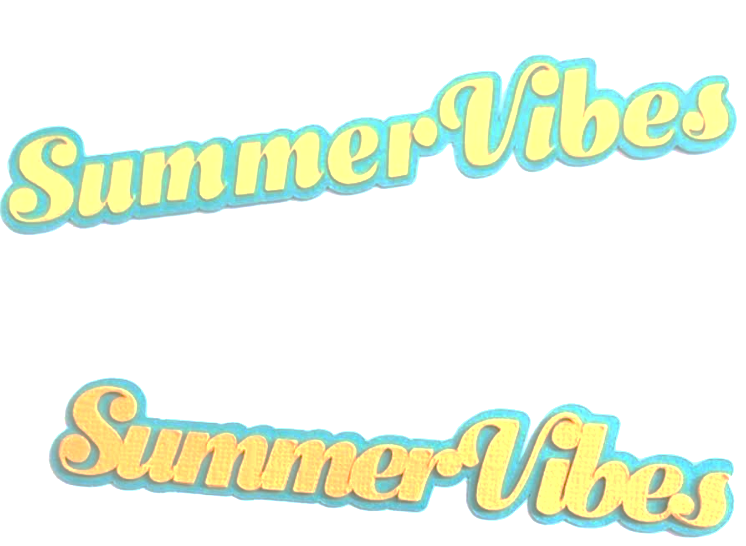
summer vibes 1

Cricut Design Space – Beginner I
Design & create a 2-layered title
Let’s master our Cricut and start making beautiful projects!
This is hands-on learning, using Cricut Design Space program.

AGENDA
You will learn the features and functionality of Cricut Design Space: Home, Canvas, Prepare, and Make. Our main learning will be defining the following menus:
1. Design Panel: New-Projects–Shapes–Images–Text–Monogram–Layouts-Upload
2. Edit Bar
3. Layers Panel
4. Cricut Access subscription

At the end of the session, you will be able to:
1. Define SVG vs PNG vs JPEG
2. Search & Resize: Shapes, Images & Text
3. System vs Cricut Fonts and Bookmark
4. Arrange Send Backward vs Send to Back
5. Arrange Bring Forward vs Bring to Front
6. Flip Horizontal vs Vertical
7. Size on Canva vs Menu w/ Padlock
8. Rotate on Canva vs Menu
9. Apply Offset to an image and/or text
10. Create a 2-layered text project (Summer Vibes)

SUPPLIES TO BRING
• Cricut Machine
• Cricut power cord and USB cord (Bluetooth available but just in case)
• Laptop
• Scrapper
• cutting mat, any will work
• Piercing tool
• Brayer tool
• scissors, cutter, wet glue, foam dots/strips
• cardstock: black, white, rainbow/favorite colors

NOTE: All supplies available at Busy Bees Papercrafts store.

BUSY BEES PAPERCRAFTS

300 Giant Oak Ave #E Newbury Park, CA

PHONE (805) 375-7085

EMAIL service@busybeespapercrafts.com

Written By

undefined

Discover More Creative Inspirations

No Results Found

The page you requested could not be found. Try refining your search, or use the navigation above to locate the post.

0 Comments